SharpAstro

Open source · .NET 10 · Windows, Linux, macOS

Software that runs the whole night.

SharpAstro is an ecosystem of .NET libraries and applications for astrophotography — from talking to the mount and the camera, through an unattended imaging session, to stacking what came back. Built for real rigs, including the multi-telescope setups most software will not drive.

19 libraries & applications Native AOT binaries AGPL-3.0 & MIT No vendor lock-in

What it does

A night, end to end

Every screenshot below is the real application: the session tabs driven against simulated hardware, so the whole run is reproducible, and the viewer on a real stack.

Automation

Point it at the sky and go to bed

Cool the camera to setpoint, find focus, calibrate the guider, slew, centre on a plate solve, dither, flip the meridian, refocus when the stars start to bloat, shoot flats at dawn, and park. One mount, as many optical trains as it carries.

Refocus triggers on a trend across the last 30 frames, not one bad exposure — a gust or passing haze cannot start a focus run. Backlash is inferred from every successful autofocus rather than measured separately.
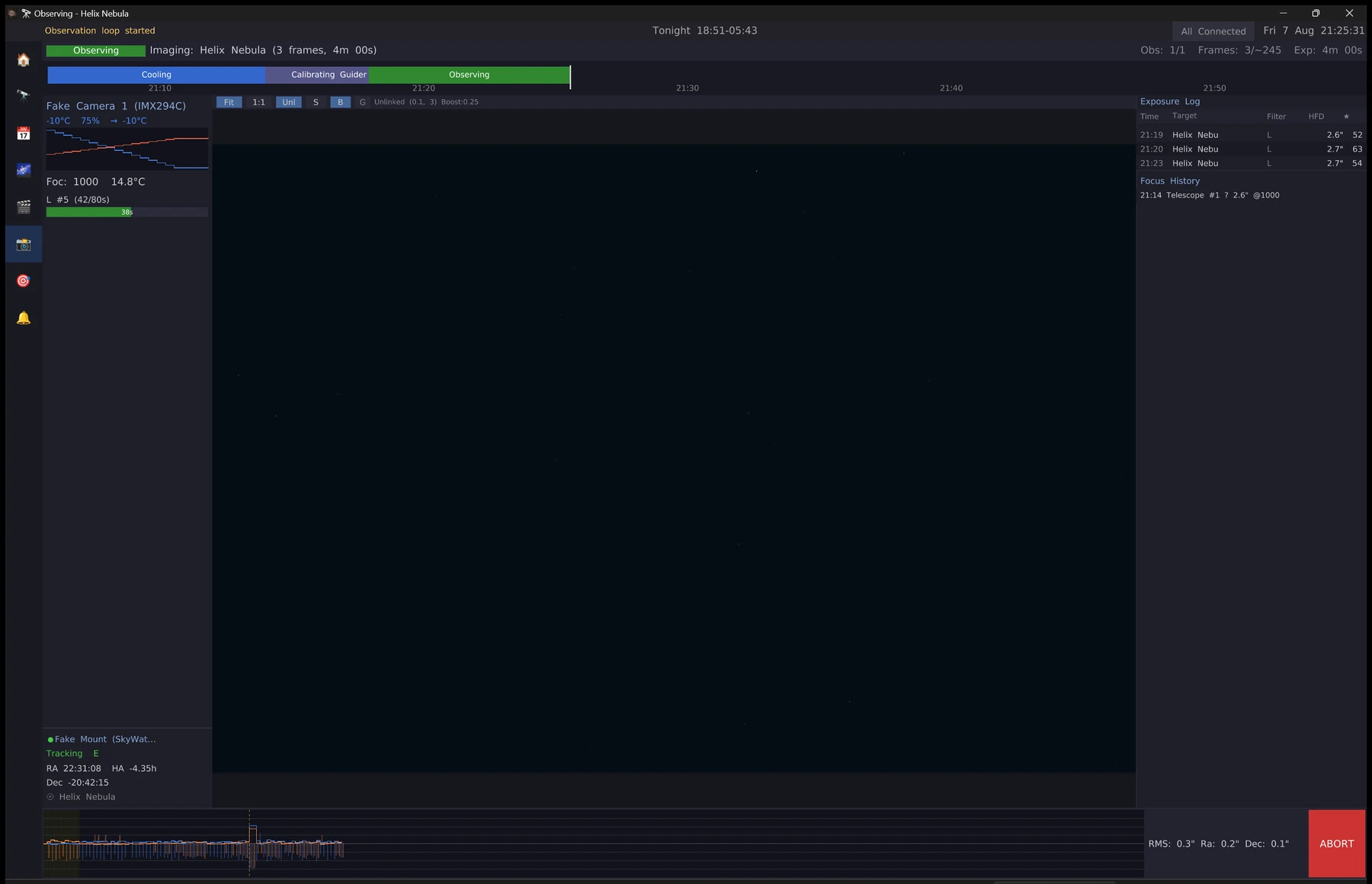
The Live Session tab during an imaging run, showing the current frame, the session phase, and per-frame guiding statistics.
Live Session — a run in progress, with the frame just written and the guiding trace beside it.

Planning

Decide what is actually worth shooting

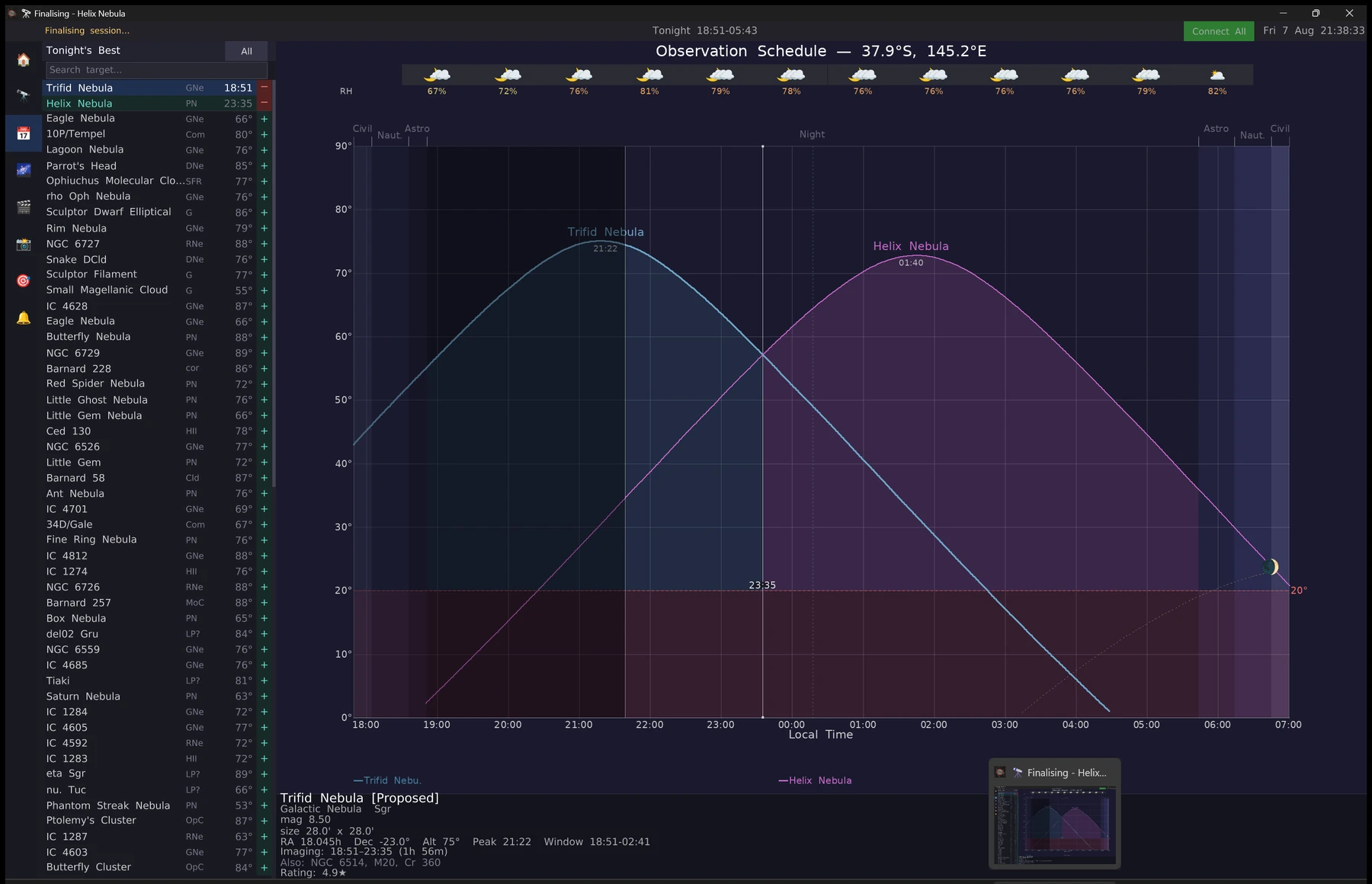
The scheduler scores catalogued targets for tonight against altitude, the moon, and your own horizon obstructions, then hands each one the slice of the night where it sits highest.

Targets that fit a single pointing are co-framed automatically — pin the Lagoon with a wide enough sensor and the Trifid comes along in the same frame. Comets are computed locally from JPL orbital elements, so their positions and brightness are live rather than a stale list.

The Planner tab showing tonight's candidate targets, with altitude curves for two pinned objects plotted against the twilight bands and an hourly cloud forecast.
Planner — two pinned targets scored and scheduled across the dark window, with the hourly forecast above.

Finding

Know where you are pointing

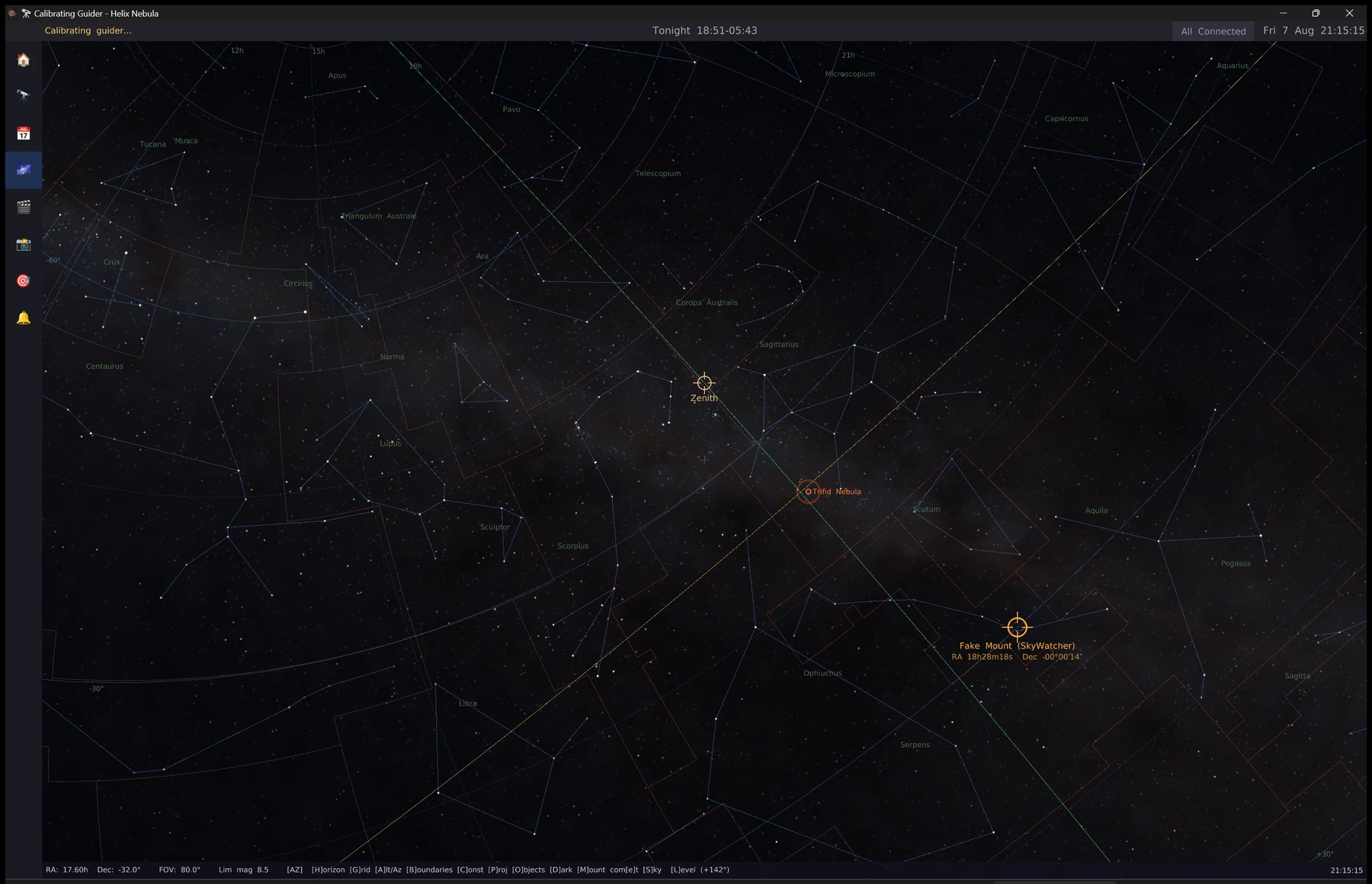
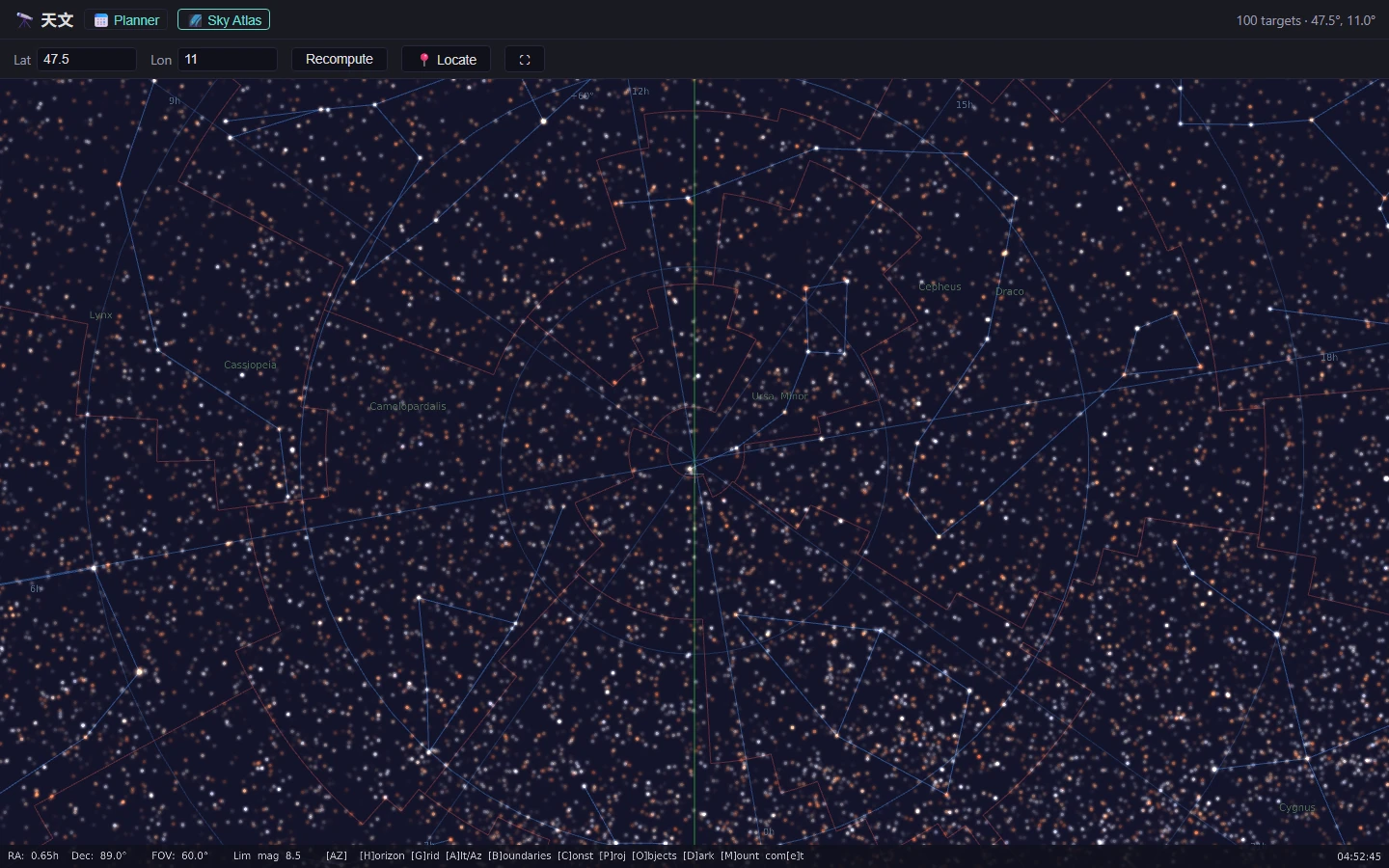
A GPU sky atlas over the full Tycho-2 catalogue, with constellation figures and boundaries, deep-sky overlays, live planet and comet positions, and the mount's own reticle drawn where it currently sits.

Plate solving runs against the same catalogue with no external dependency, so a frame can be solved and the mount synced without installing anything else. ASTAP and astrometry.net are supported as alternatives.

The Sky Map tab showing the Milky Way through Sagittarius and Scorpius with constellation figures, boundaries, the ecliptic, the zenith marker and the mount's own reticle.
Sky Map — the full Tycho-2 catalogue on the GPU, with the pinned target circled and the mount's reticle drawn where it is actually pointing.

Guiding

Keep the stars round for eight hours

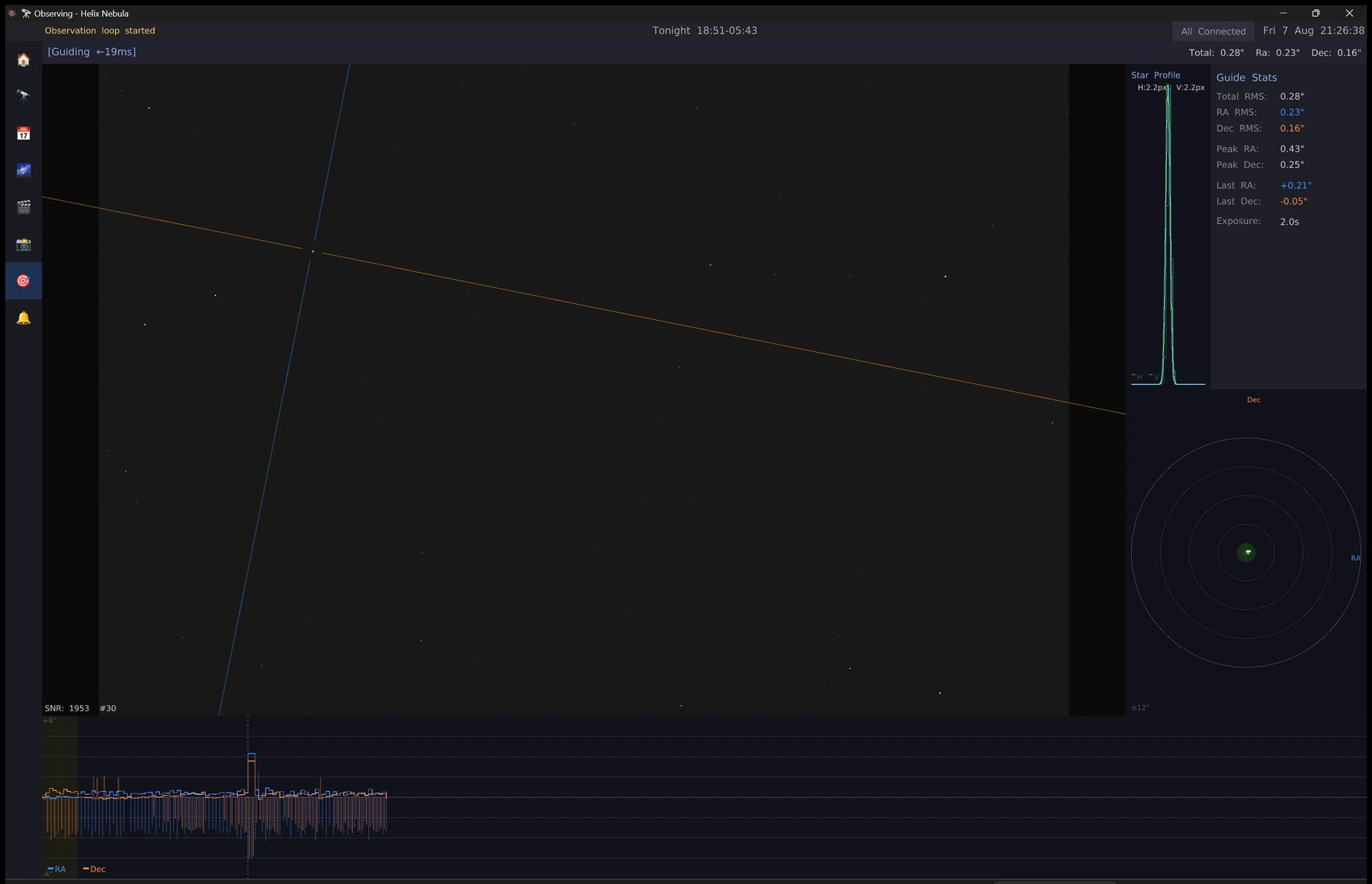
A built-in guider that calibrates itself, guides on a selected star, and dithers between sub-exposures — or PHD2, if that is what you already trust.

Calibration deliberately runs half an hour east of the meridian, so a German equatorial stays on one side of the pier throughout and the declination sense it learns matches the side it will image on. Calibrating west of the meridian is how a mount teaches itself to run away in Dec.

The Guider tab showing the guide star with its right ascension and declination vectors, a star profile, guide statistics, a scatter plot, and the guiding trace with a dither step.
Guider — 0.28″ total RMS on the simulated mount, with the step in the trace where a dither landed.

Hardware

Talk to the gear you already own

ASCOM on Windows, Alpaca over HTTP anywhere, native ZWO and QHYCCD SDKs, serial mounts including Meade LX200, SkyWatcher, OnStep and iOptron, and Canon bodies over PTP with no vendor SDK installed at all.

Devices are addressed by URI, so a driver is a string in a profile rather than a compile-time choice, and a headless Raspberry Pi runs the same code as a Windows desktop.

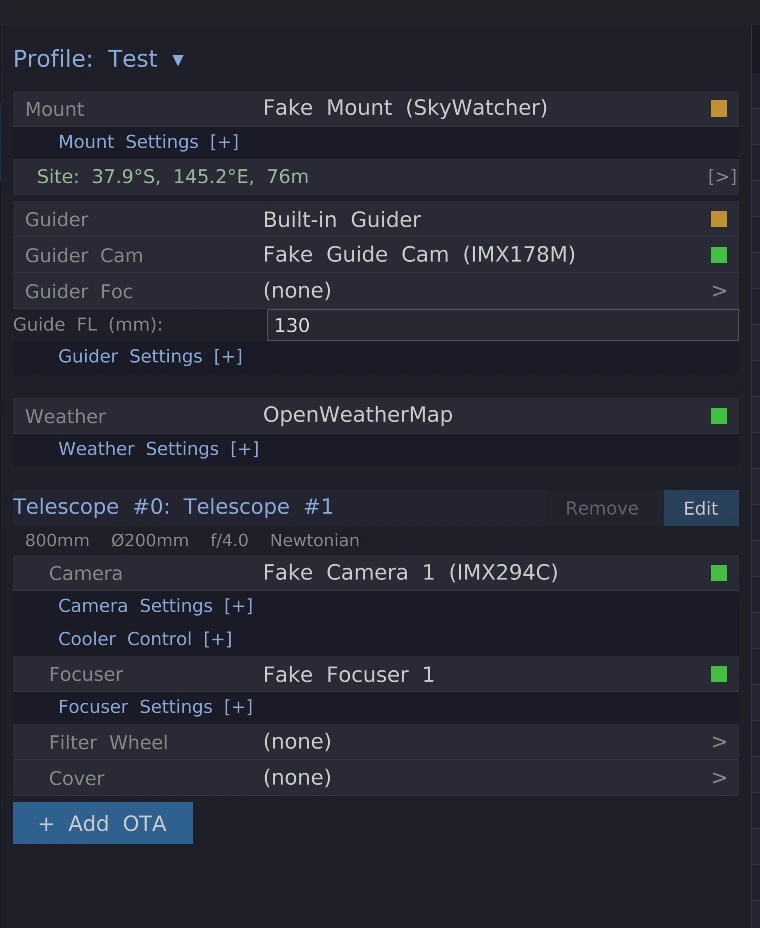
The Equipment tab showing a profile with a mount, guider, guide camera, weather source, and one optical train with its camera and focuser assigned.
Equipment — one profile, one mount, and an optical train per telescope on the saddle.

Remote

Watch it from somewhere warm

A headless server exposes the session over REST and WebSocket, and serves the same hardware over the ASCOM Alpaca protocol, so other software can drive it too.

A desktop can bind another node and mirror its run through the same tabs that render a local one. Selecting a rig changes what you are looking at — never what your own machine owns.

# what is the rig doing right now?
$ curl -s localhost:1888/api/v1/session/state | jq '.data.phase, .data.activeObservation.target.name'
"Observing"
"Helix Nebula"

# the same hardware, spoken to as ASCOM Alpaca by anything else on the network
$ curl -s localhost:1888/api/v1/telescope/0/rightascension
{"Value":22.518,"ErrorNumber":0,"ErrorMessage":""}
The headless node answers on both planes at once: the native session API, and the Alpaca device API other software already speaks.

Inspecting

Look at what came back

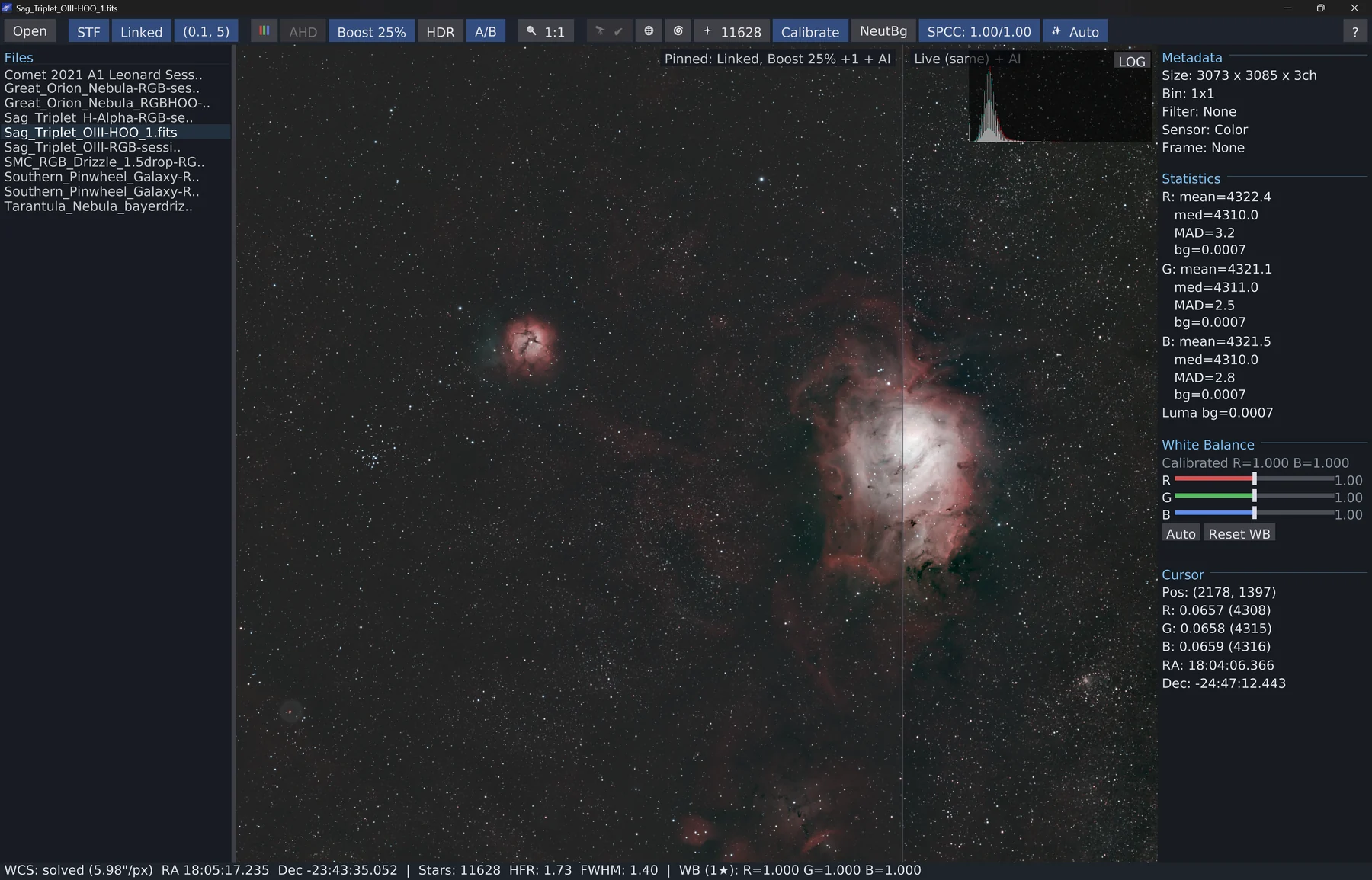
Astro Photo Viewer is a second application, shipped on its own through the Microsoft Store: the suite's viewer, without the suite. It opens FITS, SER planetary video, TIFF and Canon CR2/CR3, stretches and demosaics on the GPU, measures every star it finds, and draws a WCS grid with catalogue annotations over a plate-solved frame.

A SER switches to frame playback, and a RAW/STACK toggle runs a rolling lucky-imaging stack that follows the playhead, with six wavelet-sharpen sliders over it. All of it off the render thread, so the sliders stay instant however long a stack takes.

Windows 10 version 2004 or newer, x64 and ARM64, updating itself from the Store. Double-clicking a .fits, .fit, .fts, .fz or .ser opens that file in the window already showing its folder rather than starting another copy. Linux and macOS run the same viewer from a self-contained native AOT archive on GitHub Releases.

Astro Photo Viewer showing a colour FITS of the Lagoon and Trifid nebulae: the file list at left, an A/B split down the middle between a pinned stretch and the live one, and metadata, per-channel statistics, white-balance sliders and a cursor read-out at right.
Astro Photo Viewer — the same screenshot the Store listing carries. An OIII/HOO stack of the Sagittarius triplet, plate-solved at 5.98″/px with 11,628 stars measured, the A/B split holding a pinned processing state against the live one.

Live demo

The atlas runs in your browser

No install and no account: the planner and the sky atlas are compiled to WebAssembly and served as a static site.

Every tab in the desktop application is generic over the surface it draws on, so the same code that renders through Vulkan on a desktop renders through WebGL in a tab. It is the same scheduler, the same catalogue, and the same projection maths — not a reimplementation.

The in-browser sky atlas rendering stars, constellation figures and the horizon through WebGL.
The same atlas, drawn through WebGL instead of Vulkan.

The ecosystem

Nineteen pieces, each usable on its own

The astrophotography stack sits on top of general-purpose libraries that were written to support it and are independently useful. All pure-managed and AOT-friendly unless they wrap a vendor's native SDK.